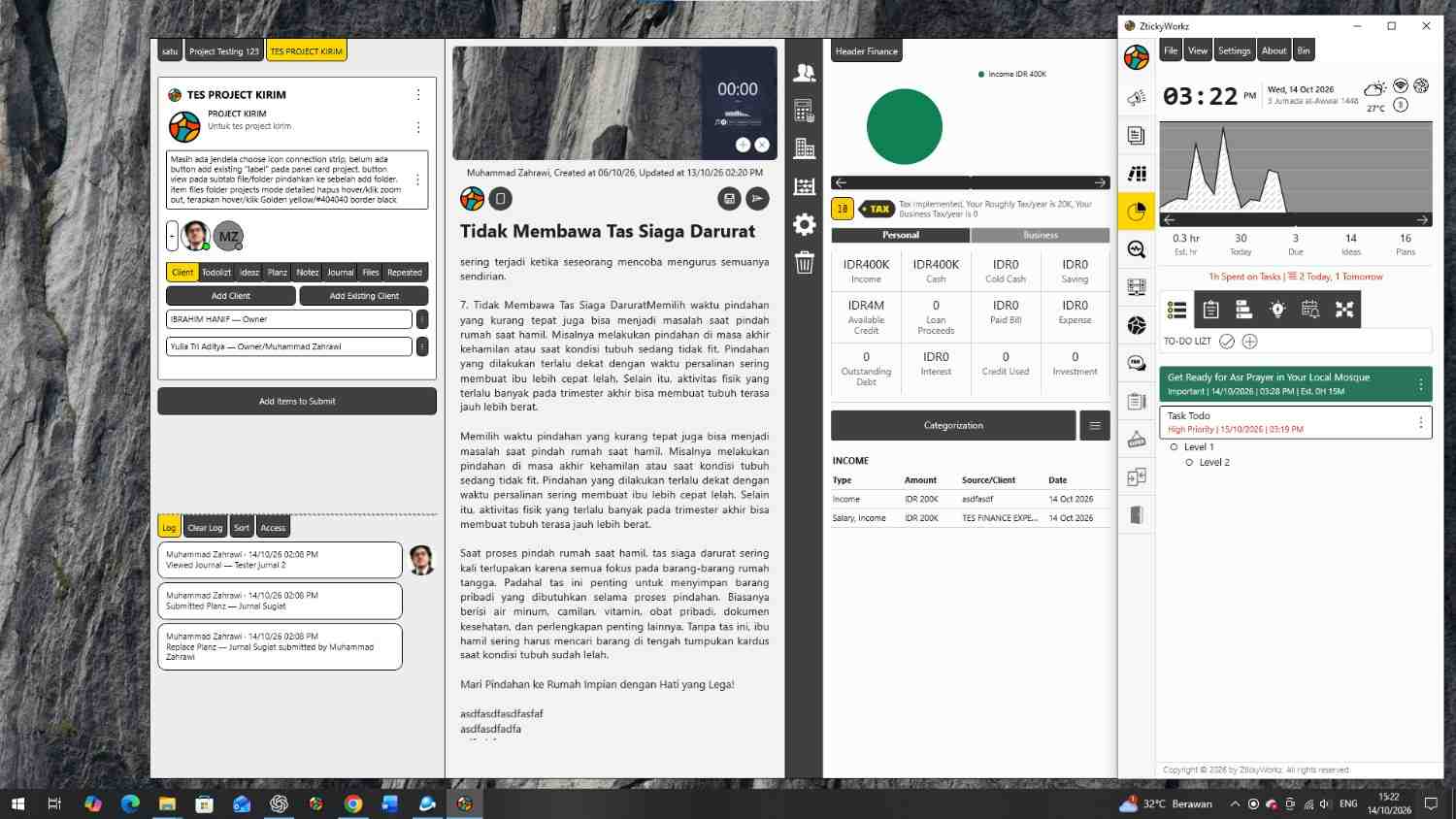
ZtickyWorkz v1.0.5 introduces several new features and improvements designed to create a more connected, organized, and efficient productivity workspace. This release continues the development of ZtickyWorkz as a lightweight, privacy focused desktop application that combines task management, project organization, financial tracking, and everyday productivity tools. With improvements to existing modules and the introduction of new capabilities, users can manage their activities and information through a more integrated workspace.
The new Journal module provides a dedicated environment for writing, documenting activities, and organizing personal or professional records. It supports rich text formatting, image insertion, quotations, and structured lists, allowing users to create and maintain detailed written content. This update also expands Zortir with practical document conversion features, including PDF to Image, Image to PDF, and PDF to Text, making it easier to process and manage documents directly within the application.
The Collaboration module enables ZtickyWorkz users to connect and exchange information over a shared local WiFi or LAN network. Users can share tasks, ideas, plans, notes, files, and folders between connected devices, supporting more flexible teamwork without relying on a centralized collaboration server. Improvements to the notification workflow also provide better task reminders, activity tracking, and received item management, helping users stay informed and maintain organized workflows across individual and collaborative activities.
Additionally, Zticky introduces personal Google Drive backup synchronization, allowing users to store application backups in their own Google Drive accounts through automatic or manual synchronization. Change detection and incremental uploads help minimize unnecessary data transfers, while manual restoration provides users with control over their stored information. Combined with refined UI and UX elements, improved navigation, and more consistent module layouts, this release strengthens ZtickyWorkz’s commitment to providing an accessible, efficient, and privacy focused productivity experience.
Key Features:
- Journal: Rich text editing, image insertion, quotes, and structured lists.
- Collaboration: Share tasks, ideas, plans, notes, projects, and journals between ZtickyWorkz users over local WiFi.
File & Folder Transfer: Send local files and folders between connected devices. - PDF to Image: Convert PDF pages into image files.
Image to PDF: Convert images into PDF documents.
PDF to Text: Extract text content from PDF files. - Notification Workflow: Dedicated notification module with improved task reminders, activity tracking, and notification management.
Received Tasks: Dedicated tab for organizing and managing incoming tasks. - Personal Google Drive Backup: Automatic and manual backup synchronization to the user’s personal Google Drive, with change detection and incremental uploads to minimize unnecessary data transfers. Data restoration is performed manually.
Privacy & Data Control: Users retain ownership and control of their data, with Google Drive access limited to application specific files. - UI/UX Improvements: Refined layouts, smoother navigation, and optimized workflows.
ZtickyWorkz v1.0.5 | Minimum System Requirements
| Component | Minimum Requirement |
|---|---|
| Operating System | Windows 10 version 1809 (64-bit) or later |
| Processor | 64-bit processor, 1 GHz or faster |
| RAM | 4 GB |
| Storage | 500 MB available disk space |
| Architecture | x64 |
| Display | 1366 × 768 resolution |
| Runtime | .NET 8 and Windows App SDK (as required by the installer) |
| Network | Optional for offline use; local WiFi or LAN for Collaboration |
| Internet | Required for Google Drive backup, online services, and application updates |
Recommended Specifications: Windows 11 (64-bit), dual-core processor, 8 GB RAM, and SSD storage.
Note: ZtickyWorkz is designed as a lightweight, privacy focused desktop application. Core productivity features operate locally without requiring a continuous internet connection. System requirements are preliminary and may vary depending on the installed modules and runtime dependencies.